January 30th, 2026
NEW: Add New Content Toolbar Button
Added modern "Add New" dropdown button to the left side of the toolbar
Replaces the default WordPress admin bar "New Content" menu with a cleaner design
Dynamically extracts available post types from WordPress admin bar
Shows appropriate icons for each content type (posts, pages, media, users, etc.)
Respects user permissions - only shows content types the user can create
Supports custom post types registered by plugins
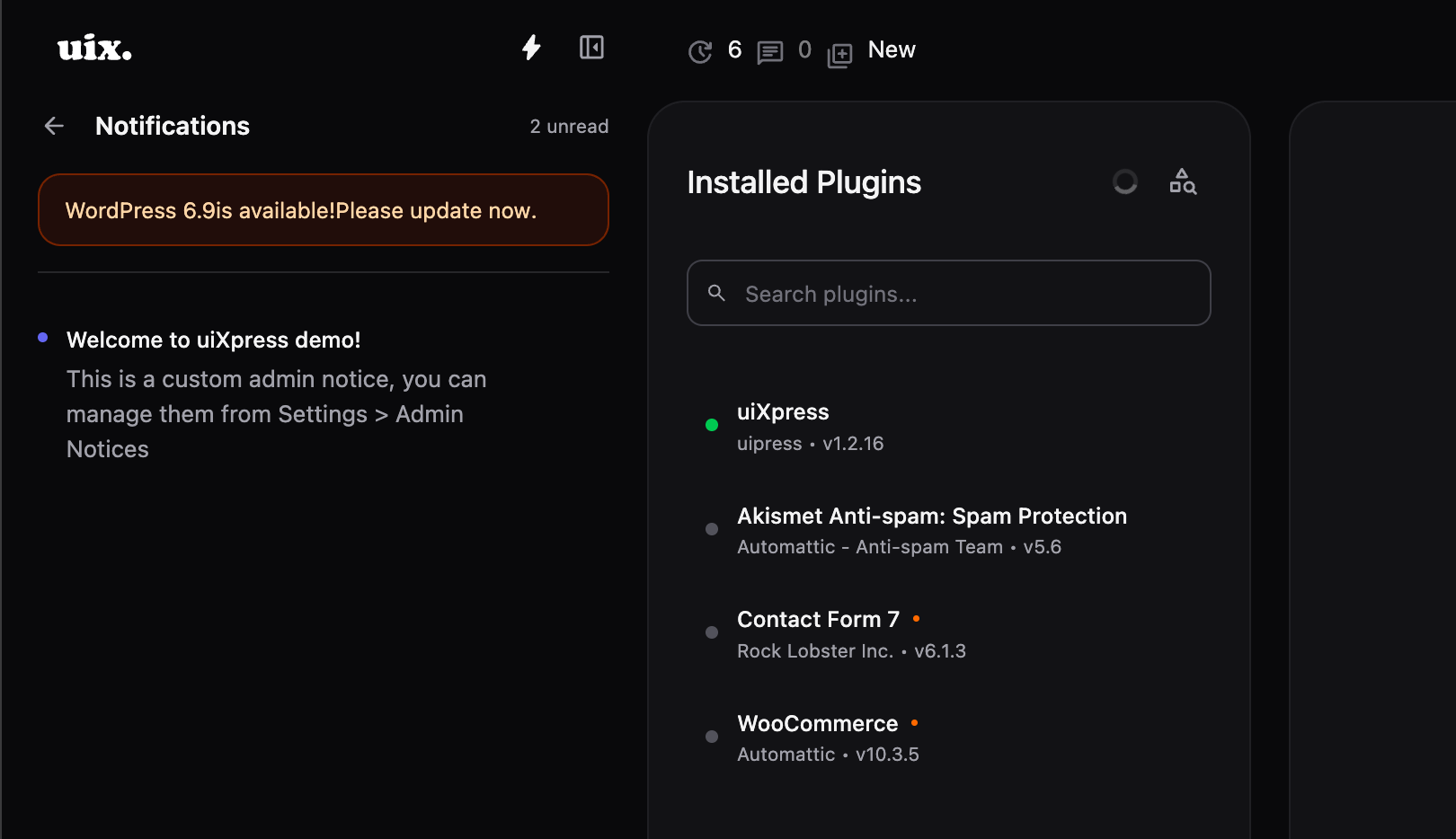
NEW: Detailed Updates in Notifications Panel
Updates section now shows individual items instead of just counts
WordPress core updates display current and new version numbers
Each plugin with available update is listed with name and version transition
Each theme with available update is listed with name and version transition
Color-coded icons: blue for core, orange for plugins, purple for themes
Direct links to appropriate update pages for each item
Respects user capabilities (update_core, update_plugins, update_themes, moderate_comments)
Fixed style conflict with elemenetor admin ui
Fixed issue with Gravity forms where new form modals were not showing
Improved css scoping to prevent some style conflicts
Added new translations: Czech, Japanese, Korean, Polish, Russian, Turkish, and Chinese (Traditional)
Dashboard analytics category now only shows when analytics is enabled in settings
Fixed dashboard card layout issue where card wrappers were rendered even when user lacked required capabilities or plugins
January 23rd, 2026

We're thrilled to announce uiXpress 1.2.16, our biggest release yet with powerful new search capabilities, Google Analytics 4 integration, advanced font customization, and comprehensive WooCommerce customer insights.
Navigate your WordPress admin faster than ever with the new Admin Menu Search. This powerful search functionality lets you find any admin page in seconds, searching through all menu items by name, URL, or ID.
Key features:
Real-time filtering as you type with highlighted matching text
Full keyboard navigation - use arrow keys to navigate, Enter to select, Escape to close
Smart sorting - exact matches first, then name matches, then URL matches
Context awareness - shows parent menu information for submenu items
Auto-selection - first result is automatically selected for lightning-fast keyboard navigation
Always accessible - search input is always visible when enabled (no button required)
The search seamlessly integrates into your admin menu with a refined UI that matches the existing design system and full dark mode support. Enable it in Settings > Menu > Enable Admin Menu Search and experience a faster way to navigate WordPress.
Connect your Google Analytics 4 properties directly to uiXpress Analytics and view all your analytics data without leaving WordPress. This seamless integration brings the power of Google Analytics into your unified admin dashboard.
What you get:
Service account authentication with encrypted credential storage for security
Automatic property detection from your Google Analytics account
Complete data integration - overview stats, page views, devices, countries, referrers, and geographic data
Seamless provider switching between uiXpress built-in analytics and Google Analytics
Error handling with clear, user-friendly messages for authentication issues
OAuth-style connection flow with easy disconnect functionality
All your existing dashboard cards automatically work with Google Analytics data. Configure your connection in Settings > Analytics > Analytics Provider with a Google Analytics service account that has Viewer access to your GA4 property.
Take complete control over your admin interface typography with the new Custom Font Selector. Choose from over 1000 Google Fonts, upload your own font files, or use custom font URLs - all with real-time preview.
Font options include:
Google Fonts - browse and search 1000+ fonts with live preview, select multiple weights (400, 700, custom)
Upload fonts - support for .woff, .woff2, .ttf, and .otf files with automatic font-face generation
Custom URLs - enter external font service URLs
System fonts - use default WordPress fonts
The visual selector makes it easy to find the perfect font, with real-time preview showing exactly how it will look in your admin interface. Configure your custom font in Settings > Theme > Custom Font.
For WooCommerce users, we've added comprehensive customer data integration directly into the user details view. Get instant access to customer analytics and order history without leaving the user management interface.
Customer insights include:
Order analytics - total orders, total spent, average order value, and total items purchased
Order status breakdown with color-coded visual badges
Recent orders list showing the last 5 orders with status and totals
Complete billing and shipping addresses with company, email, and phone
Paying customer status badge for easy identification
Customer lifecycle dates - creation and modification timestamps
All data is fetched using WooCommerce's REST API and displayed in a beautifully styled interface that matches the existing dark mode design system.
WordPress native notifications are now integrated into uiXpress's unified admin notices panel. All your notifications - both WordPress core and custom admin notices - appear in a single, elegant notification center for better organization and visibility.
The new system uses smart count tracking that prevents notifications from disappearing, with improved polling that only checks for new notifications without resetting your existing count.
Create User Form Improvements:
Generate Password button for instant strong password creation
Password visibility toggle to show/hide password text
Real-time password validation dropdown with visual indicators (green ticks) for each requirement:
Minimum 8 characters
Uppercase, lowercase, number, and special character requirements
Validation appears automatically when you focus the password field
User Details View:
Updated user details dropdown with Shadow DOM isolation for better style consistency
Smooth animations for dropdown menu transitions
Improved hover handling with reliable show/hide behavior
Better positioning with proper gap spacing
We've created an extensible component registration system for the user details view, allowing external plugins to add custom components and categories. The API supports both Vue.js 3 and React components with capability-based visibility control.
Components can be registered to specific tab categories (Details, Activity, Commerce, or custom) and automatically receive userId, userData, appData, and id props. This follows the same pattern as our Dashboard Cards API for consistency across all extensibility features.
The menu cache system now uses rotating cache keys for better multi-user support. When you clear the cache, all users automatically see fresh menu data. A new "Clear Cache" button in the menu list view makes cache management effortless, and the menu automatically refreshes when saved or deleted for real-time updates across all users.
Fixed hidden submenu items still showing in main menu - items marked as hidden in menu creator are now properly filtered
Fixed submenu toggle not working when top-level item isn't active - submenus can now be toggled open/closed regardless of active state
Fixed layout conflicts with Fluent Cart plugin
Fixed shadow rendering on login page
Fixed user flyout menu sometimes getting cut off in the sidebar
Updated all translation files for multilingual support
Update now from your account dashboard to experience these powerful new features. This release represents months of development focused on making uiXpress more powerful, more extensible, and more beautiful.
Admin Menu Search alone will transform how you navigate WordPress. Combined with Google Analytics integration, custom fonts, and WooCommerce insights, this is our most feature-rich release ever.
Test on a staging site first for production environments, then enjoy the future of WordPress admin management.
November 27th, 2025

We're excited to announce uiXpress 1.2.15, featuring the revolutionary Remote Site Management system that lets you manage multiple WordPress sites from a single uiXpress installation.
This is a game-changer. uiXpress can now connect to and manage remote WordPress sites directly from your toolbar. Configure your remote sites once with a URL and application password, then switch between them instantly using the elegant site switcher in your admin toolbar.
Here's what Remote Site Management unlocks:
Instant Site Switching - Toggle between all your WordPress sites without logging in and out
Full Admin Access - Manage media, plugins, users, menus, database, activity logs, and more across any connected site
Persistent Selection - Your selected site persists across sessions, so you stay in context
Smart Menu Filtering - When viewing a remote site, the menu intelligently shows only available uiXpress features
Seamless Experience - Everything works exactly as if you were logged into that site directly
Whether you're managing client sites, running an agency, or maintaining multiple properties, Remote Site Management transforms uiXpress into a centralized command center for your entire WordPress portfolio. No more juggling browser tabs, remembering passwords, or switching between dashboards. One interface. All your sites. Complete control.
Remote Site Management is built with security as the foundation. We've implemented a unified permission system that automatically handles authentication based on request origin:
Local requests use nonce validation for CSRF protection
Remote requests use WordPress application passwords with Basic Auth
Automatic detection applies the right security method for each request
Capability-based access controls who can view and use remote sites
Your remote site passwords are protected with capability checks, ensuring they're never exposed to unauthorized users. All REST API endpoints have been updated to support this unified security model while maintaining the highest security standards.
When you switch to a remote site, uiXpress intelligently adapts the interface to show only the features that site has enabled. The Modern Media Page, Modern Plugins Page, Menu Creator, Activity Log, Database Explorer, Role Editor, and other uiXpress apps appear based on what's actually available on that remote site.
The result is a clean, focused interface that shows exactly what you can manage without clutter from unavailable features.
Remote Site Management isn't a limited view - it's the complete uiXpress experience across sites:
Upload media directly to remote sites through the Modern Media Library
Manage plugins with the Modern Plugins Page
View activity logs from any connected site
Explore databases with the Database Explorer
Edit roles and capabilities with the Role Editor
Manage users with the Modern Users Page
Configure settings for each site independently
Everything just works, exactly as you'd expect.
We've fixed several compatibility issues in this release:
Safari Gutenberg - Fixed overlay issue when Gutenberg editor is in full screen mode on Safari
LatePoint - Resolved scroll conflicts with LatePoint plugin
Frontend Toolbar - Fixed the "Back to Dashboard" button behavior
Server Health - Added function existence checks for disk_free_space() and disk_total_space() to prevent errors on restricted hosting environments
Setting up Remote Site Management is straightforward:
Go to Settings > Global Settings
Add your remote sites with their URLs and application passwords
Configure who can access remote sites (defaults to administrators)
Use the site switcher in your toolbar to jump between sites
A helpful first-time explanation dialog guides you through the process when you first switch to a remote site.
Update now to transform how you manage WordPress sites. Remote Site Management is the most significant feature we've added to uiXpress, and it fundamentally changes what's possible for agencies, developers, and anyone managing multiple WordPress installations.
This is uiXpress 2.0 in spirit - a centralized control panel for your entire WordPress ecosystem. Test on a staging site first, then experience the future of WordPress management.
One dashboard. Every site. Total control.
November 23rd, 2025
We're releasing uiXpress 1.2.14 with a completely redesigned Magic Dark Mode system, elegant upload progress indicators, and important menu navigation fixes.
Magic Dark Mode has been completely redesigned with a smarter, per-page opt-in system. Instead of a global toggle that affects everything, you now have precise control over which admin pages use dark mode conversion.
Enable Magic Dark Mode on any page through the global search quick actions - just search for "magic dark mode" and toggle it on for the current page. Your preferences are saved per-page, giving you the flexibility to use dark mode conversion only where you need it.
The new system uses CSS-based filters for efficient conversion with zero DOM manipulation overhead. It automatically excludes images, videos, iframes, charts, code blocks, and color pickers to preserve their original appearance. The result is better performance, smoother transitions, and more predictable behavior across different admin pages.
Plugin uploads now show a beautiful minimal progress panel instead of a tiny spinner. When you upload a plugin, an elegant dark panel slides up from the bottom center of your screen, displaying the filename and an animated progress bar. It's a small touch that makes the upload experience feel more polished and keeps you informed about what's happening.
We've fixed several important issues with menu navigation that were affecting certain plugins and admin pages:
URL Encoding Fixed - Menu links were being double-encoded, causing issues with query parameters. URLs like WooCommerce analytics pages would show encoded characters (%2F instead of /) and sometimes lose their labels entirely. This is now resolved with proper URL decoding.
Improved Active State Detection - The active menu item highlighting now works more reliably. We've implemented smarter matching logic that checks both your current location and the menu item URLs, with proper precedence rules to ensure the correct item is highlighted.
Better Compatibility - These fixes particularly improve compatibility with WooCommerce, where analytics links would sometimes disappear due to URL encoding mismatches.
The admin menu now features a refined scrollbar design with a slim 6px width, smooth transitions, and enhanced dark mode support. The scrollbar is always visible when content overflows, making it easier to know when there's more content to scroll through.
Behind the scenes, we've optimized how stylesheets are shared across ShadowRoot components. The new useAdoptedStyleSheets composable reduces code duplication and ensures consistent styling with better performance.
All language translation files have been updated to reflect the latest features and changes.
November 20th, 2025
We're releasing uiXpress 1.2.13 with important compatibility improvements, a streamlined license system, and several bug fixes that improve reliability.
This release focuses on making uiXpress work seamlessly across different WordPress configurations. We've completely refactored how the plugin handles file paths and URLs, ensuring compatibility with WordPress installations that use custom wp-content directory names or non-standard configurations.
All plugin asset URLs now use WordPress's built-in plugins_url() function instead of hardcoded paths. Whether you're running a standard WordPress setup or a custom configuration with renamed directories, uiXpress will now work flawlessly.
We've overhauled the license key system for improved security and reliability. License keys and instance IDs are no longer exposed to frontend JavaScript, keeping your activation data more secure. The new system uses an improved validation endpoint that handles existing activations more gracefully, with better error handling and clearer user feedback throughout the license management process.
Force Global Theme Fixed - The Force Global Theme setting now works correctly. Previously, if you tried to force light theme while your browser was in dark mode, it wouldn't work properly. The global override now takes precedence as intended.
Activity Logger Plugin Deletion - Fixed a fatal error that occurred when deleting plugins while Activity Logger was tracking changes. The logger now properly handles plugin deletion events without errors.
Real-Time Analytics - Active users data in Analytics now returns fresh, real-time information without any caching delays. Perfect for monitoring current site activity accurately.
Submenu Favorites - Fixed an issue preventing submenu items from being added as favorites in the admin menu.
Fluent Cart Compatibility - Resolved style conflicts with Fluent Cart to ensure both plugins work together smoothly.
Behind the scenes, we've significantly improved code maintainability by centralizing global properties handling across all 17 app entry files. This reduces code duplication and makes future updates more reliable. We've also updated the Vite configuration for better build compatibility across different environments.
November 17th, 2025

We're excited to release uiXpress 1.2.12, our biggest update yet. This release introduces comprehensive activity logging, a modern comments management interface, and powerful new APIs that make uiXpress infinitely extensible.
Know exactly what's happening on your WordPress site with our new Activity Logger. Track every important action across your admin area - from post edits and user changes to plugin updates and login attempts. The system stores detailed before/after comparisons, IP addresses, and timestamps, giving you a complete audit trail for security and compliance.
The modern Vue.js interface makes reviewing activity effortless. Filter by action type, user, date range, or search across all logs. Configure retention policies to automatically clean up old logs, and choose between tracking all actions or just the important ones. All sensitive data like passwords and API keys are automatically redacted for security.
Find it under Tools > Activity Log when enabled in Settings > Security.
Say goodbye to the outdated WordPress comments interface. Our new Modern Comments Page brings a sleek, responsive comment management experience that matches the rest of uiXpress.
Browse comments in a sidebar list view with powerful search, filtering, and sorting. Edit comment content with a rich text editor, perform bulk actions, and filter by status - all in a interface that feels modern and intuitive. Enable it in Settings > Posts and transform how you manage conversations on your site.
We're opening up uiXpress with three powerful new APIs that let you extend the interface with your own components:
Sidebar Render API - Inject custom Vue or React components into the admin menu, before or after menu items. Perfect for adding custom navigation, widgets, or promotional content.
Toolbar Render API - Add components to the left or right side of the admin toolbar. Build custom toolbar buttons, status indicators, or quick action menus that integrate seamlessly.
Quick Actions API - Extend the global search with custom quick actions. Let users trigger your plugin's features directly from the search interface.
All three APIs support both Vue.js and React components, include capability-based visibility controls, and follow consistent patterns that make development straightforward. Full documentation is included for each API.
Dashboard cards now support React components through veaury integration. Build cards using React while they integrate seamlessly into the Vue-based dashboard. Just specify language: 'react' in your card metadata and you're ready to go.
Edit your admin menu shortcuts directly from the menu itself. Click the edit icon on any shortcut to change its name, URL, or icon. Reorder them with drag-and-drop. All changes save automatically and persist across sessions.
We've added toggles for the Database Explorer and Role Editor in settings, so you only load what you need. Both features are now off by default, improving performance for users who don't need these advanced tools.
Fixed several issues with the code editor component in settings, including buttons not appearing due to async loading, changes not saving properly, and reactivity problems. The editor now initializes reliably and syncs changes correctly.
We've completely overhauled our documentation with comprehensive guides for all features. Everything is now optimized for our upcoming Docus documentation site, with proper navigation, SEO metadata, and organized API documentation. Whether you're a user learning features or a developer building extensions, you'll find clear, thorough documentation.
Fixed post status filter on modern posts view
Enhanced SQL injection protection with whitelist validation
Improved GDPR compliance by restricting email visibility based on capabilities
Created centralized Settings class for better performance with caching support
November 14th, 2025

We're rolling out uiXpress 1.2.11 with two powerful new tools that give you deeper control over your WordPress site.
Explore your WordPress database with a modern, Supabase-inspired interface. Browse all your tables, examine their structure, view data with powerful sorting and search, and even run read-only SQL queries safely. It's the kind of professional database tool you'd expect from premium development platforms, now built right into uiXpress.
Take complete control of WordPress user roles and capabilities. Create custom roles, edit existing ones, and manage capabilities with an intuitive interface that makes complex permission management simple. Everything is secured with comprehensive authentication, validation, and CSRF protection to keep your site safe.
We've also resolved compatibility issues with LatePoint and fixed submenu hover mode overlap problems that affected certain plugins.
Update now from your account dashboard or wait for the automatic update to roll out over the coming days.
November 13th, 2025

We're excited to announce the release of uiXpress 1.2.1, our most feature-rich update yet. This release represents months of development focused on giving you powerful new tools to manage your WordPress admin experience.
A Complete Media Library Overhaul
We've completely redesigned the media library from the ground up. The new interface brings advanced filtering, lightning-fast search, and streamlined bulk operations that make managing large media libraries a breeze. Whether you're working with hundreds or thousands of files, the new media library keeps everything organized and accessible.
Enhanced User Management
Managing users just got significantly easier. The redesigned user interface introduces advanced filtering options and comprehensive bulk actions, making it simple to manage users at any scale. Whether you're running a small site or managing hundreds of users, these new workflows will save you time every single day.
Built-in Analytics System
Understanding your site's performance is now built right into uiXpress. Track page views, analyze visitor behavior, see device breakdowns, and explore geographic data - all without relying on external services. Get the insights you need to make informed decisions about your site, right from your dashboard.
Refined Design System
We've refined the entire design system with improved dark mode support, better spacing consistency, and modern component styling throughout. The result is a more polished, professional interface that's easier on the eyes and more enjoyable to use.
Powerful Global Search
The updated global search delivers more relevant results with improved keyboard navigation and expanded search capabilities. Find what you're looking for faster, whether it's content, settings, or specific admin pages.
Modern Posts & Pages Tables
We've redesigned the posts and pages tables with a new sidebar layout that improves navigation and makes content management more efficient. The new layout gives you better visibility and faster access to the tools you need.
This release also includes significant security enhancements. We've moved user capabilities from DOM output to a secure REST API endpoint, improving both security and performance. Your site is now more secure by default.
A note about updates: This release is available now in your account and for new customers, but we've temporarily disabled automatic updates. We're taking a careful approach to ensure everything works perfectly across different environments. Once we've confirmed smooth operation, automatic updates will be re-enabled for everyone.
If you'd like to update now, simply log into your account and download the latest version. As always, we recommend testing on a staging site first.
This release sets the foundation for exciting features we have planned for the coming months. We're committed to making uiXpress the most powerful and intuitive WordPress admin customization tool available.
Thank you for your continued support. We can't wait to hear what you think of these new features!
= 1.2.1 =
Release Date * November 2025 *
NEW: Modern Media Library - Complete redesign with improved filtering, search, and bulk operations
NEW: Enhanced User Management - Redesigned user interface with advanced filtering, bulk actions, and improved user management workflows
NEW: Built-in Analytics System - Comprehensive analytics tracking with page views, visitor insights, device analytics, and geographic data
NEW: Refined UI Styles - Updated design system with improved dark mode support, better spacing, and modern component styling
NEW: Updated Global Search - Enhanced search functionality with improved results, better keyboard navigation, and expanded search capabilities
NEW: Modern Posts Tables with Sidebar Layout - Redesigned posts/pages tables with new sidebar layout for improved navigation and content management
Fixed force_global_theme setting to use select dropdown instead of toggle
Fixed submenu_style setting to use select dropdown instead of toggle
Added select component support to settings system
Created comprehensive settings test validation documentation
Security: Moved user capabilities (allcaps) from DOM output to REST API endpoint for improved security
Added new REST API endpoint /uixpress/v1/user-capabilities to fetch current user capabilities
Dashboard now fetches user capabilities asynchronously via REST API and caches them in the store
Fixed analytics tracking for unauthenticated users - removed nonce requirement for public analytics tracking while maintaining security through rate limiting
Replaced PHP session handling with cookie-based session tracking for better REST API compatibility
Added client-side session ID support and improved error handling in analytics tracking
Fixed REST API validation errors for optional parameters (referrer, user_agent, page_title) - now properly handles null/empty values
Fixed issue with notifications not being removed from site until notification panel is opened
September 3rd, 2025
Small update that fixes issue with uiXpress admin layouts and also fixes a compatibility issue with Gravity Forms.
September 2nd, 2025
We're excited to announce the latest update to uiXpress! This release focuses on improving the user experience, fixing critical issues, and enhancing plugin compatibility.
Enhanced Plugin Manager: Fixed a critical issue preventing plugin updates via ZIP upload in the modern plugin manager
Notification System: Resolved issues where some notifications weren't displayed until manually opening the notification panel
Performance Boost: Implemented various optimizations for faster loading and smoother interactions
Refreshed Component Styles: Updated various UI components for a more polished look
New Action Links Popout: Added a convenient action links menu to the bottom left user bar for quick access
Improved Plugin Page: Enhanced styling and layout of the plugin management interface
Better Admin Notices: Redesigned admin notices for improved readability and user experience
Plugin Compatibility: Resolved various conflicts between plugins
WooCommerce Integration: Fixed issues with WooCommerce and menu link functionality
PHP Warning: Eliminated PHP error warning about missing type parameter
General Stability: Multiple under-the-hood fixes for improved reliability